

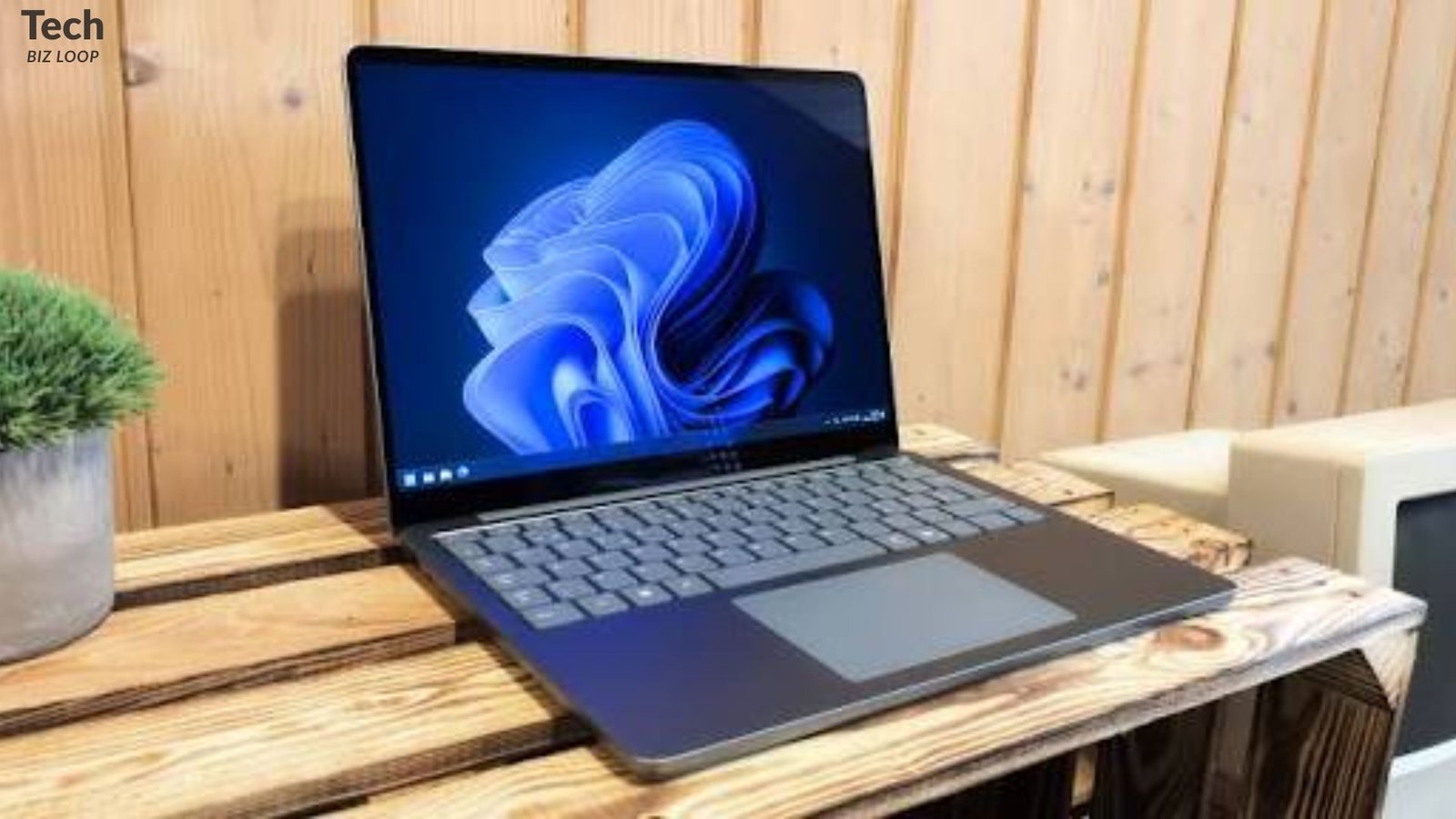
Surface Laptop trackpad popped out is one of those problems that makes your stomach drop. One day the trackpad sits flush. The next, it’s lifted, uneven, or clicking oddly.Do not panic. Do not ignore it as well.
This manual will explain everything you need to know about it.Plus, you’ll learn how to tell a harmless glitch from a real danger.
Why a Lifted Trackpad Matters More Than You Think
A trackpad is a flat piece of glass or plastic sitting on top of internal parts. It shouldn’t move. When it does, something underneath is pushing it up or letting it go.
That something, in many instances, is the battery. And that’s precisely why this problem needs to be addressed promptly.
Composite example: “My Surface was on my desk all week.Then I noticed the trackpad rocking when I pressed one corner. The next morning the gap was visible.” This pattern is common in repair forums. Swelling creeps in slowly.
READ ALSO: How to Choose a Notebook: 10 Things to Consider
Quick Overview: Causes at a Glance
| Cause | How Common | Risk Level | Typical Sign |
|---|---|---|---|
| Battery swelling | Most likely | High | Lifted trackpad, gaps, bulging deck |
| Adhesive failure | Moderate | Low | Loose edge, no heat or bulge |
| Impact or pressure | Moderate | Low to medium | History of a drop or squeeze |
| Heat warping | Less common | Medium | Warm chassis, slight bending |
Why Your Surface Laptop Trackpad Popped Out
Surface Laptop trackpad popped out cases usually trace back to one of four causes. Let’s walk through them.
Battery Swelling
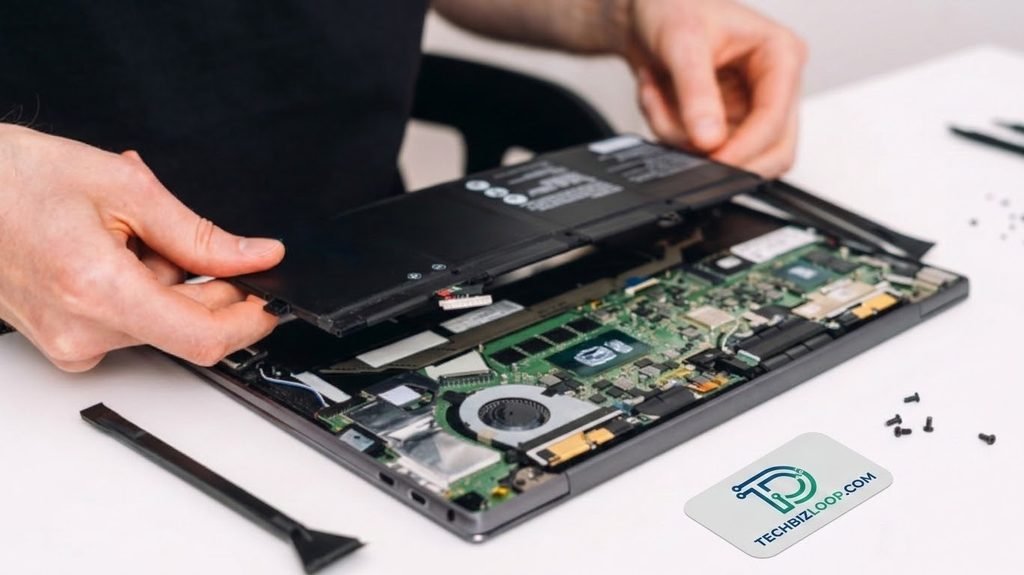
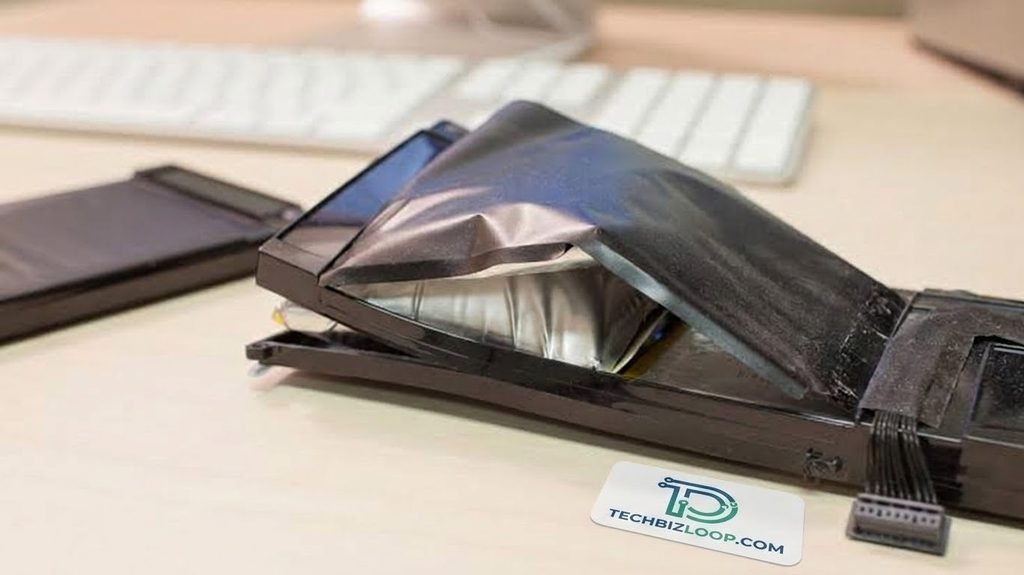
This is the big one. Lithium-ion batteries can produce gas as they age, overheat, or get overcharged. The gas inflates the battery’s pouch. Because Surface Laptops pack their parts tightly, there’s almost no spare room. So the swollen battery pushes upward.
That’s how Surface Laptop battery swelling turns into a Surface Laptop bulging trackpad. People may also use the term “swollen Surface Laptop trackpad,” wherein the glass looks like it is domed a little bit.
Fact: Lithium-ion battery pouches tend to swell up because of gas that forms in the cell. Swollen batteries are considered unsafe.
Adhesive Failure
Surface Laptops use strong adhesive in many places. Over time, heat and age can weaken it. The trackpad edge may then lift without any battery problem.
Adhesive trouble is more likely if the laptop is several years old. It’s also likelier if the lift is small and no other part looks bent.
Impact, Pressure, or Flex
Throwing a laptop into an overstuffed bag adds stress. So does carrying it by one corner. Even a heavy book on the lid can flex the chassis. As a result, parts can shift out of place.
Heat Stress
Long gaming sessions or hot cars cook internal parts. Heat can also speed up battery wear, which loops back to Cause A.
Pro Tip: Cease charging right away if your trackpad rises even slightly.
What to Do Immediately
Safety comes first. Follow these steps in order:
- Power off and unplug: Don’t charge a laptop that might have a swollen battery.
- Don’t press the trackpad back down: Pressure on a swollen cell can damage it.
- Place the laptop in a safe location: Select a solid and non-combustible location away from any beds, couches, or paper.
- Back up the data if it is still working properly: If the laptop is hot or smells, skip this step.
- Call Microsoft or the repair service:Don’t wait for it to get worse.
Pro Tip: Never press the lifted trackpad down; pressure can puncture batteries.
How to Check for Battery Swelling Without Opening Anything
You don’t need tools. Try these simple checks.
| Check | What to Do | Warning Sign |
| Flatness test | Place the laptop closed on a flat table | It rocks or wobbles |
| Gap test | Look at the trackpad edges in bright light | Uneven or widening gap |
| Keyboard deck bulge | Slide a finger across the deck | Raised or domed area |
| Heat and charging | Notice temperature while plugged in | Unusual warmth or odd charging |
| Smell and sound | Sniff and listen near the vents | Chemical smell or hissing |
If you get even one warning sign, treat it as battery swelling. Stop using the device.
Surface Laptop 2 Trackpad Popped Out: Special Notes
Early Surface Laptop models, including the Surface Laptop 2, have a reputation for being tough to open. The chassis uses adhesive and fused parts. Teardown site iFixit has historically given early Surface Laptops very low repairability scores.
What does that mean for you? Home repairs are risky. A slip can crack the keyboard deck or damage the battery. Therefore, professional Surface Laptop touchpad repair is the safer path.
Also, remember that a Surface Laptop trackpad not working isn’t always the same as a lifted one. Software glitches, driver issues, or a loose cable can cause that. Update Windows and drivers first. If the trackpad is physically raised, though, treat it as a hardware matter.
READ ALSO: Headphones With Microphone: Complete Guide
Surface Laptop Trackpad Popped Out: What Fixes Are Reasonable?
Surface Laptop trackpad popped out problems with three realistic solutions. The right one depends on what the inspection finds.
Professional Reseat and Inspection
A technician opens the device and checks the battery first. If the battery is healthy, they can re-secure the trackpad with fresh adhesive. This is the best choice for adhesive failure.
DIY Press and Tape (Not Recommended)
You’ll see videos where people press the trackpad down and tape it. It might hold for a day. However, it hides the real cause. And if the battery is swollen, you’re creating a fire risk.
Replace the Trackpad Assembly or Battery
If the trackpad is cracked or the clicker is dead, Surface Laptop touchpad replacement is the answer. If the battery is the culprit, Surface Laptop battery replacement comes first. Replacing just the trackpad is not going to help if the battery is still swollen.
Scenario in action: A student realized that her Surface Laptop trackpad was pressed halfway down. A technician found a swollen battery underneath. They replaced the battery, and the trackpad sat flush again with no further parts needed.
Comparing Your Repair Options
| Option | Best For | Pros | Cons |
| Microsoft service | Warranty or recent models | Official parts, safer process | May cost more out of warranty |
| Third-party shop | Older devices | Usually faster and more economical | Quality differs; read reviews |
| DIY repair | Experienced hobbyists only | Low cost | High risk of damage or injury |
| Replace the laptop | Very old, heavily damaged units | Fresh start | Highest upfront cost |
Check Microsoft’s current Surface service page for exact fees and coverage. They change over time.
Pros and Cons of Repairing vs. Replacing
Repairing
- Pros: Keeps your data setup. Often cheaper.E-waste reduction.
- Cons:Excessive use of adhesives complicates repair. Older models may fail again soon.
Replacing
- Pros: New warranty. Better battery life.
- Cons: Costs more. You’ll need to migrate files and apps.
.
Research-Based Insights
Here’s what the evidence shows:
- Battery safety is well documented. Government and industry safety bodies advise stopping use of any device with a swollen lithium-ion battery.
- Repairability matters. Teardown reviews from iFixit highlight that glued-in components make servicing harder on several Surface Laptop generations.
- Age is a factor. Battery capacity declines with charge cycles. Swelling risk generally rises as cells wear out.
- Heat accelerates wear. Frequent high-temperature use shortens battery life.
These points explain why a Surface Laptop hardware issue like this tends to appear after a few years of heavy use.
READ ALSO: How Do I Switch Phone Carriers? Easy Guide
Expert Opinion and Practical Insight
The most important thing that technicians emphasize is to diagnose the battery first.A trackpad is rarely the root problem. It’s the messenger.
From a practical standpoint, a good inspection takes minutes. Skipping it can cost you far more later. So even if the laptop still works fine, get it checked.
Pro Tip: Back up your files first, then book a repair slot.
Use Cases: What Your Symptoms Might Mean
| Symptom | Likely Meaning | Best Next Step |
| Trackpad lifted plus gap on one side | Battery swelling | Power off; professional inspection |
| Trackpad loose but no bulge, no heat | Adhesive failure | Professional reseat |
| Clicks feel dead; surface flat | Faulty click mechanism | Surface Laptop touchpad repair |
| Cursor freezes; physically normal | Software or driver issue | Update Windows; restart |
| Laptop rocks on a flat table | Battery or chassis bulge | Stop using; get service |
Common Mistakes to Avoid
- Pushing the trackpad down. It can damage the battery.
- Charging “just one more time.” That extra charge can make things worse.
- Using a cheap replacement battery. Poor cells swell faster.
- Watching DIY videos and prying open the case. Surface chassis aren’t built for it.
- Ignoring small gaps. Swelling grows over time.
Pro Tip: Take a picture of the crack because it can help in any warranty claim with Microsoft.
Prevention Tips
- Never leave your computer plugged-in to 100% battery power for long periods of time.
- Do not leave the computer in a hot car or exposed to direct sunlight.
- Don’t stack heavy items on it.
- Use the original charger or a certified one.
- Run Windows and firmware updates regularly.
READ ALSO: Amazing Gadget Corporation Has Determined
Frequently Asked Question
Is a popped-out trackpad always battery swelling?
Not necessarily. Adhesive breakdown and impact damage could also be responsible for it. Nonetheless, the most dangerous reason is battery swelling.
Should I keep charging the laptop if the trackpad is lifted?
No.Power it down and disconnect it. Charging an already swollen battery will increase the chance of a fire.
Can the trackpad be snapped back in?
Not safely. It could cause harm to the battery and even break the glass. It should be done by a technician.
Can I just replace the battery?
Often yes, through a service provider. Because of the adhesive design, though, it’s usually not a home job.
Is a Surface Laptop trackpad popped out issue covered by warranty?
Perhaps. Depends on your version, when you bought it, and what caused it. Consult Microsoft warranty information for more details.
Sources and References
- Microsoft Surface Support and warranty documentation
- Surface Laptop repair guide by iFixit
- CPSC advice for lithium-ion batteries in consumer products
- Battery University lithium-ion safety information
Conclusion
A Surface Laptop trackpad popped out situation isn’t something to shrug off. A swollen battery is mostly the cause of it. Shut off the device, put it in a safe place, and do not press anything back into place.
You will be required to go for a reseat, a new Surface Laptop battery, or a Surface Laptop touchpad depending on the results. Taking action now saves your data, money, and even your life.
When you see the gap today, don’t wait until tomorrow. Plug it out, and find an expert.



Leave a Reply